- Product design
- UI/UX design
IBM Governance Dashboard
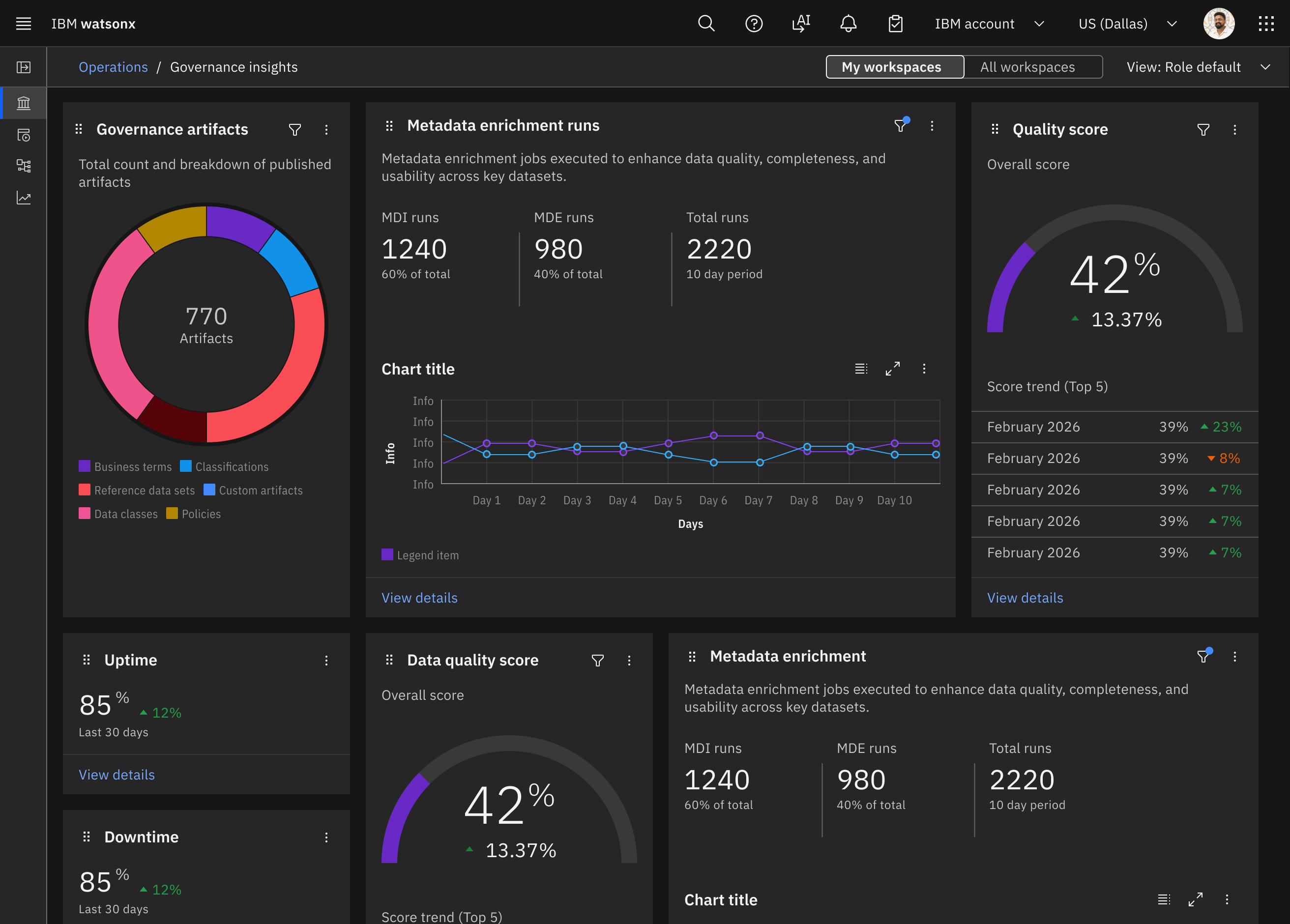
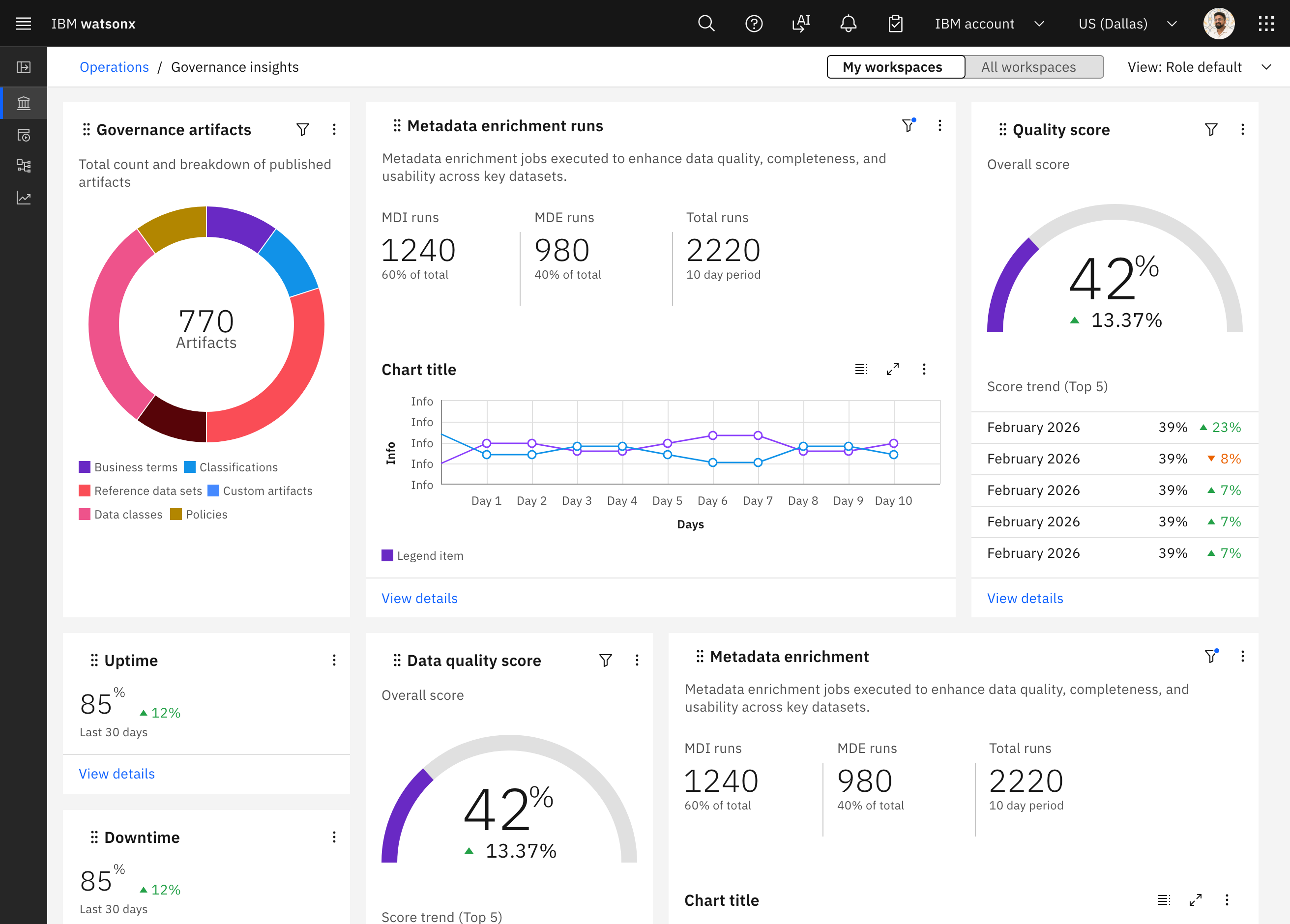
Dashboard widgets that answer a data steward’s questions about the assets in IBM Knowledge Catalog.
- Role
- Design lead, IBM Knowledge Catalog widgets
- Timeline
- April–May 2026
- Tools
- Figma
- Claude Code
The IBM Governance Dashboard is a data visualization dashboard for users to create, organize, and utilize widgets across all of IBM’s data governance products. I was the sole design lead for IBM Knowledge Catalog’s widgets: eight charts, each answering a question a data steward asks about their catalogs, like where their sensitive data is, or which assets are missing business terms.
Every week, the designers for each governance product reviewed our widgets together, for technical feasibility and for consistency, so the whole dashboard uses the same patterns. Engineering has since built these designs into the product. The prototypes on this page were built with Claude Code.
Building on one card system
The data quality, master data, glossary, and privacy teams designed widgets for the same dashboard. We all built on one card system: the same card sizes, color palette, and filter panel. My widgets had to fit that system and work with however many catalogs a steward has.
One question per widget
Each widget starts from a question. These three are live. Hover a bar or a point to see its tooltip, switch between absolute and percentage values, remove catalogs from the filter, and turn series on and off in the legend.
Asset count by type and catalog
The distribution of asset types in catalogs.
- Ethical
- Community
- Legal
- Public
- Policy
Showing 5 most recently created catalogs
- Ethical
- Community
- Legal
- Public
- Policy
01What’s in my catalogs?
A catalog can hold 10 or more asset types, so the bars run horizontally. Each segment gets more length, which keeps the types easier to tell apart.
Percentage values let you compare catalogs of very different sizes. Otherwise, a very large catalog dwarfs the smaller ones and makes them hard to read.
The tooltip gives exact counts and percentages, since even with both views, an asset type with only a few assets can be too thin to read.
Iterations
Asset count started as a treemap, with a bar chart as a second view. Offering both views was cut from v1. In the weekly reviews, we then found the treemap inefficient at displaying the data, and not something engineering could build at the time, so it became a stacked bar.
v1: a treemap, with a stacked bar as a second view and two ways to switch between them. v2: a stacked bar in absolute values, with the tooltip. v2: the same bars in percentile values.
Term assignment coverage by catalog
The percentage of assets or columns in a catalog with at least one business term assigned.
- Ethical
- Community
- Legal
- Public
- Policy
Showing 10 most recently created catalogs
02Where am I missing term assignments?
Business terms are usually assigned to assets and columns, so the widget shows the share of each that has one, and the gaps.
Ideally, every bar is mostly full. How many assets a catalog has doesn’t matter here, so unlike asset count, there’s no switch between absolute values and percentages. The switch is between assets and columns instead.
Iterations
v1 used horizontal bars, to match asset count. We went vertical in v2: with only two values, both percentages, every bar fills the full height, so narrow columns are enough and more catalogs fit. Asset count can have 10 or more asset types, so it needs the extra horizontal space.
v1: horizontal bars for assets and for columns, with an optional target line. v2: vertical bars, so 10 catalogs fit, for assets. v2: the same bars for columns, in their own colors.
Discovered vs. manually imported assets over time
Showing 10 most recently created catalogs
03How are my assets imported over time?
Two lines over months show whether discovered assets are overtaking manual imports. The date range defaults to the last 10 months.
Iterations
v1: scanned vs. manually imported assets, by year. v2: by month, with Scanned renamed Discovered, the tooltip, a date range filter, and the filtered state.
The rest of the catalog widgets, as handed off to engineering, with their rules written beside them: what each axis counts, what the filter defaults to and its maximum, and what the tooltip shows.
The last widget, sensitive data, was a heatmap, since it has three axes of data to show: catalog, classification, and count. It was descoped at v1, because users can’t yet configure which classifications count as sensitive data.
How are my assets imported? How are my columns classified? How complete are my asset and column metadata? Where are my sensitive data? (v1)
Perry Ting
Reviewed weekly with the IBM data governance design team
All catalogs and data shown are fictional